

Choosing a software training centre is not simply a matter of finding the cheapest course or the most convenient date. The right provider should help you perform real tasks with greater confidence, reduce avoidable mistakes and continue developing your skills after the class finishes.
That distinction matters whether you are an individual learning Excel, Power BI, Adobe Creative Cloud, Xero or Microsoft Copilot, or a business training an entire team. A polished website and a long course catalogue are useful starting points, but they do not necessarily reveal the quality of the learning experience.
This guide explains the practical standards to assess before you enrol. It also shows how to compare classroom and live-online delivery, evaluate trainer expertise, identify meaningful post-course support and determine whether a training provider can support your long-term development.
1. Begin with the workplace result, not the software name
Before comparing providers, define what success should look like. “I need Excel training” is less useful than “I need to clean monthly sales data, build reliable formulas and produce a management dashboard.” Similarly, “I want Power BI training” could mean learning data modelling, creating reports, publishing dashboards or improving an existing reporting process.
A professional training centre should help you match your current ability and job requirements to the correct course level. Ask whether the provider offers beginner, intermediate and advanced options, and whether the course outline reflects the tasks you actually perform.
Useful questions to ask
- What will I be able to do by the end of the course?
- Is the course designed for my software version and role?
- Will the exercises resemble workplace tasks?
- Can the trainer address questions about my own workflow?
- Is there a logical next course if I want to progress?
Clear outcomes also make it easier for an employer to measure whether training has delivered value. For example, a team might aim to reduce spreadsheet rework, standardise project reporting or help staff adopt new AI features safely and effectively.
2. Verify that instructors can connect theory with real work
The trainer is one of the strongest predictors of whether a course will be useful. Software changes frequently, and knowing where a button is located is not the same as understanding how a feature should be applied in a professional environment.
Look for instructors who combine formal product knowledge with practical experience. Vendor certifications can be helpful, but they should be considered alongside teaching experience, industry knowledge and the ability to explain complex concepts clearly.
At Dynamic Web Training, courses are delivered by experienced instructors across Microsoft, Adobe, web design, data analytics, AI, accounting software and related subjects. The provider has delivered software training in Australia since 2000 and supports individuals, workplace groups and customised business programs.
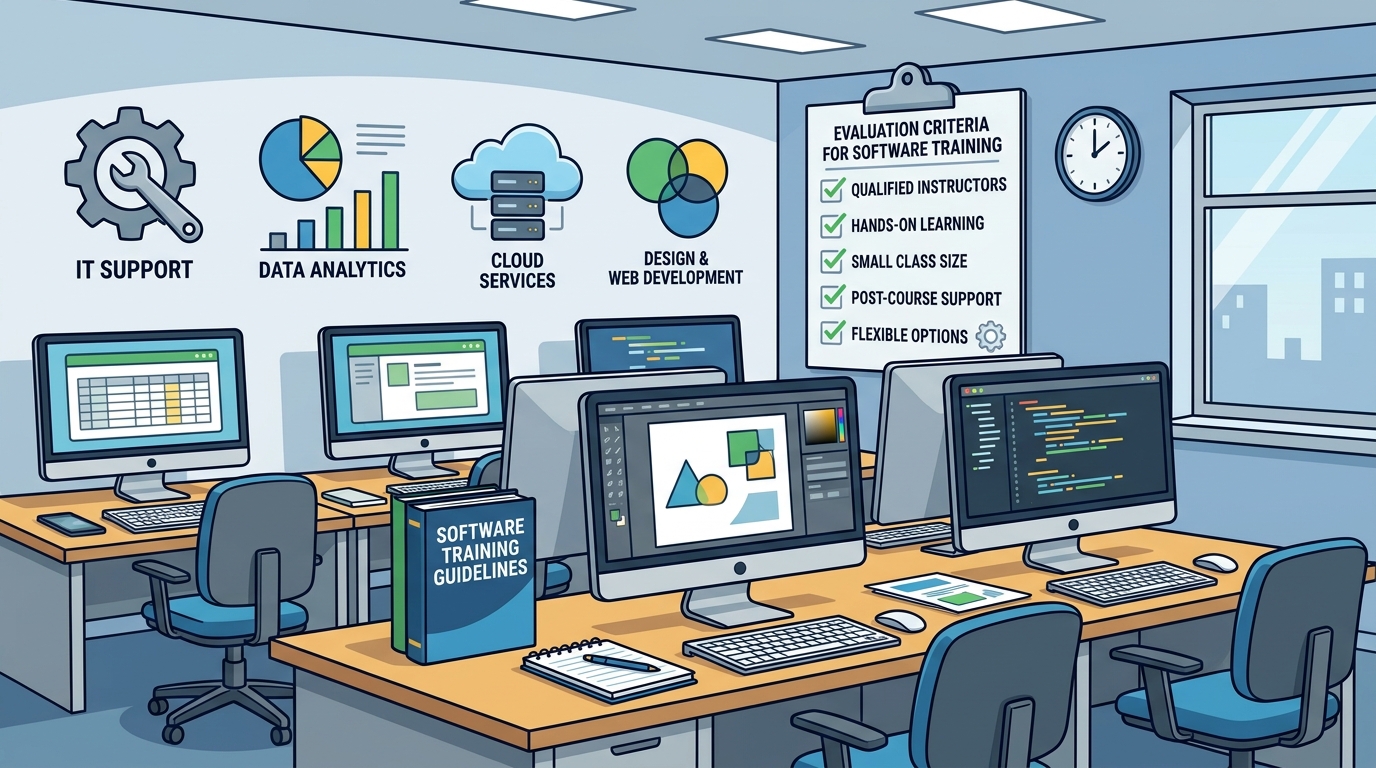
How to assess an instructor before booking
- Read trainer biographies rather than relying only on generic claims.
- Check whether the provider identifies relevant Microsoft, Adobe or other vendor credentials.
- Look for evidence that instructors have worked with the software in realistic business situations.
- Ask how trainers handle mixed abilities and questions outside the standard demonstration.
- Review student feedback for comments about clarity, patience and practical relevance.
A strong trainer should be able to explain not only how to complete a task, but also why one approach is safer, faster or more maintainable than another.
3. Prefer a learning model that makes you practise
Watching a demonstration can create the impression that a task is easy. The real test comes when you must complete it independently. For that reason, professional software training should include frequent, guided practice using the application itself.
Dynamic Web Training describes its approach as Instruct, Demonstrate, Challenge. The trainer first explains the relevant concepts, then demonstrates the process and finally asks participants to perform the task themselves. This sequence gives learners an opportunity to ask questions while they are applying the skill, not weeks later when the training has become difficult to recall.
Signs of genuinely hands-on training
- Participants use the software during the session rather than only watching slides.
- Exercises progress from guided examples to independent tasks.
- The trainer observes or checks the work and corrects misunderstandings.
- Activities include realistic files, datasets, layouts or business scenarios.
- There is enough time to repeat a task until the process feels familiar.
For courses such as Excel, Power BI, SQL, Photoshop or Xero, practical repetition is particularly important because proficiency depends on remembering a sequence of actions and recognising how different features work together.
4. Check whether the class is small enough for questions
Class size affects the amount of attention each learner can receive. In a very large group, an instructor may need to teach to the average participant, leaving beginners overwhelmed and experienced users under-challenged. Smaller classes make it easier to adjust the pace, diagnose problems and discuss role-specific examples.
Ask for both the maximum and typical class size. A provider may advertise personalised learning while routinely filling rooms with far more people than the course design can support. Dynamic Web Training course information commonly identifies a maximum class size of 10 and an average class size of approximately five on individual course pages, although availability and course details should always be confirmed at the time of booking.
Small groups are especially valuable when participants need help with their own files, workflows or terminology. They also make it less intimidating to admit that a concept needs to be explained in a different way.
5. Make sure the technology supports learning instead of interrupting it
A professional training environment should remove avoidable technical distractions. In a classroom, that means reliable computers, the required software already installed, suitable screens and a comfortable workspace. Participants should not lose half the session installing plug-ins, locating licences or troubleshooting incompatible hardware.
Dynamic Web Training provides fully equipped computer labs for classroom learning in Sydney and Melbourne. Its facilities are designed so participants can focus on the course rather than bringing and configuring their own laptop. For design, data and productivity applications, access to a consistent software environment also helps ensure that the trainer’s demonstrations match what learners see on screen.
For live-online training, evaluate the virtual experience just as carefully. Confirm that the session is led by a real instructor, that screen sharing is clear, that participants can ask questions in real time and that technical assistance is available if audio, access or software issues arise.
6. Treat post-course support as part of the training investment
Most people do not master business software permanently in a single day. After returning to work, you may forget a step, encounter a different data structure or need to apply a technique to a more complicated task. A provider that offers useful follow-up support recognises this reality.
Before booking, ask exactly what is included after the final session. A course manual and completion certificate are useful foundations, but ongoing access to help and the opportunity to repeat training can provide considerably more practical value.
Dynamic Web Training offers free and unlimited course repeats for up to eight months and free email support for up to 12 months, in addition to a course manual and certificate of completion. These support features apply across its software training offering, including Microsoft Copilot training and Xero accounting courses. Confirm the terms for your selected course before enrolment.
Why a repeat option can improve retention
Skills often become clearer after you have used them in a real workplace. A no-cost repeat gives you the chance to revisit the course with better questions and more relevant context. It can also reduce the pressure to remember every detail immediately after an intensive training day.
7. Compare delivery formats against your circumstances
The best format depends on your location, schedule, learning preferences and business requirements. A provider with several delivery options can make it easier to choose a suitable environment without changing organisations as your needs evolve.
Classroom training
In-person training can be particularly effective for learners who value direct interaction, immediate assistance and a dedicated learning environment. It may also suit teams that want to learn together away from daily interruptions.
Online Live training
Online Live training provides real-time access to an instructor without requiring travel. It is different from a collection of recorded videos because the trainer can answer questions, demonstrate processes and respond to participant progress during the session.
Corporate and customised training
Businesses may need training built around internal processes, shared files, reporting standards or a particular software rollout. Ask whether the provider can train a team at the workplace, customise examples or recommend a staged development plan.
Dynamic Web Training offers classroom training in Sydney and Melbourne, Online Live training across Australia and corporate solutions. Its training packages can help businesses plan multiple courses, share learning across staff and spread sessions over time to support skill consolidation.
8. Look for breadth with a clear progression between courses
A large catalogue is only useful when courses are organised into understandable pathways. A provider should be able to help you progress from foundational skills to more advanced applications without repeating material unnecessarily.
For example, a learner might begin with Excel essentials, move into advanced formulas and data analysis, then progress to Power BI for interactive reporting. A designer may start with Photoshop, add Illustrator and InDesign, and then apply those skills to a broader graphic design workflow. A business analyst could develop from spreadsheet reporting into SQL, Python or Power BI.
Dynamic Web Training offers training across Microsoft 365 applications, Power BI, Copilot, Project, SQL, Adobe applications including Photoshop, InDesign and Illustrator, web development, graphic design, AI, data analytics, Xero and other business tools. Its Microsoft training courses cover applications such as Excel, Word, PowerPoint, Outlook, SharePoint, Power Apps, Project, SQL, Visio and Access.
This type of cross-application coverage can be valuable for organisations that want one provider to support multiple roles and skill levels. It also allows an individual learner to build a coherent development plan rather than selecting unrelated courses from different suppliers.
9. Use this software training centre comparison checklist
| Area | Evidence of quality | Warning sign |
|---|---|---|
| Learning outcomes | Specific skills, tasks and capabilities are clearly described | Vague promises with no practical outcomes |
| Instructor expertise | Named trainers with relevant certifications and workplace experience | No trainer information or unexplained qualifications |
| Teaching method | Instructor-led explanations, demonstrations and supervised practice | Slides or videos dominate the session |
| Class size | Published limits and enough time for individual questions | Large groups with little opportunity for assistance |
| Equipment | Current software and fully prepared computers or reliable online access | Learners must solve setup problems during class |
| Support | Manuals, certificates, follow-up assistance and meaningful repeat policies | Support ends as soon as the course finishes |
| Delivery options | Classroom, Online Live and corporate formats where appropriate | Only one format regardless of learner needs |
| Course pathway | Beginner-to-advanced progression across relevant applications | Disconnected courses with no guidance about next steps |
| Business suitability | Customised content, group options and practical workplace alignment | Standard content that cannot address team requirements |
Why professional training can matter to employers
For employers, software training is not only an employee benefit. It can support adoption of new tools, improve consistency and reduce the time staff spend searching for answers or correcting avoidable errors.
LinkedIn Learning’s 2024 Workplace Learning Report stated that 90% of organisations were concerned about employee retention and identified providing learning opportunities as the number one retention strategy in its research. The same report linked stronger learning cultures with higher retention and internal mobility. These findings support the idea that training should be connected to career development and business objectives rather than treated as an isolated event. ([business.linkedin.com](https://business.linkedin.com/learn/resources/workplace-learning-report-2024?utm_source=openai))
When comparing providers for a team, define measurable outcomes in advance. Examples include producing a standard Power BI dashboard, reducing manual spreadsheet steps, improving project-plan reporting, creating consistent marketing assets or helping staff use Copilot productively within approved business processes.
How to compare price without choosing on price alone
Training prices vary according to the application, course level, duration, delivery format, class size and support included. A lower headline price may not represent better value if it excludes practical exercises, software access, course materials or follow-up assistance.
Compare the complete package instead:
- How many instructional hours are included?
- Is the course delivered by a live instructor?
- Are computers or software access provided?
- Is a manual included?
- Can the course be repeated if more practice is required?
- Is email or other post-course support available?
- Are discounts available for multiple courses or staff members?
For an individual, the right question is usually not “What is the cheapest course?” but “Which option gives me the best chance of using the skill confidently at work?” For a business, calculate the likely value of improved productivity, fewer errors and faster adoption alongside the course fee.
Key takeaways
- Define the work outcome you need before selecting a software course.
- Choose trainers who combine vendor knowledge with practical industry experience.
- Prioritise active, hands-on learning over passive demonstrations.
- Check the maximum and typical class size so you know how much individual attention is realistic.
- Use a prepared classroom or reliable Online Live environment to avoid technical distractions.
- Review post-course support, including manuals, email assistance and course repeat policies.
- Select a provider that offers the delivery format, course level and learning pathway you need.
- For business training, connect the course to measurable productivity, adoption or career-development goals.
- Compare the complete value of each package rather than comparing headline prices alone.
Frequently asked questions
What makes a software training centre professional?
A professional software training centre provides structured courses, experienced instructors, practical exercises, suitable facilities or technology, clear learning outcomes and support after the session. It should be transparent about course levels, class sizes, trainer experience, inclusions and delivery formats.
Are certified software trainers important?
Vendor certifications can demonstrate formal product knowledge, but they are only one part of trainer quality. Also look for current workplace experience, teaching ability, clear explanations and evidence that the trainer can help learners apply software to realistic tasks.
Should I choose classroom or live-online software training?
Choose classroom training if you prefer face-to-face interaction and a dedicated computer lab. Choose Online Live training if you need location flexibility while still wanting a real instructor and live questions. Both formats can be effective when they include hands-on practice and individual support.
How many students should be in a software training class?
There is no universal number for every subject, but smaller classes generally make it easier to ask questions and receive individual assistance. As a practical benchmark, look for a published maximum and consider providers that limit groups to approximately 10 participants for technical software courses.
What should be included after a software course?
At minimum, look for usable course materials and a certificate of completion. Stronger support may include trainer email assistance, follow-up resources and the ability to repeat the course. Dynamic Web Training offers free course repeats for up to eight months and free email support for up to 12 months; confirm the terms of the course you select.
Can businesses customise software training for their teams?
Many professional providers offer corporate or customised training. Ask whether examples can be aligned with your organisation’s files, processes, reporting requirements and software rollout objectives. Dynamic Web Training provides corporate training and customised solutions for small and large businesses.
What software subjects can I study with Dynamic Web Training?
Dynamic Web Training offers courses covering Microsoft applications, Power BI, Copilot, Project, SQL, Adobe applications, web design, graphic design, AI, data analytics, Xero, MYOB and other business software. Available levels and delivery formats vary by course.
Where can I find upcoming software training dates?
You can browse upcoming course dates or contact Dynamic Web Training on 1300 888 724 to discuss individual or corporate requirements.
Choose training designed for practical progress
The strongest software training centres make it easy to see what you will learn, who will teach you, how much practice you will receive and what support remains available after the course. They do not treat enrolment as the end of the relationship; they provide a pathway for applying and extending your skills.
Dynamic Web Training has delivered instructor-led software training in Australia since 2000, with classroom locations in Sydney and Melbourne, Online Live delivery across Australia, small classes, hands-on computer-based learning and ongoing post-course support. Explore the full range of Dynamic Web Training courses or call 1300 888 724 to discuss the most suitable option for your goals.