

Corporate Software Training for Teams Online
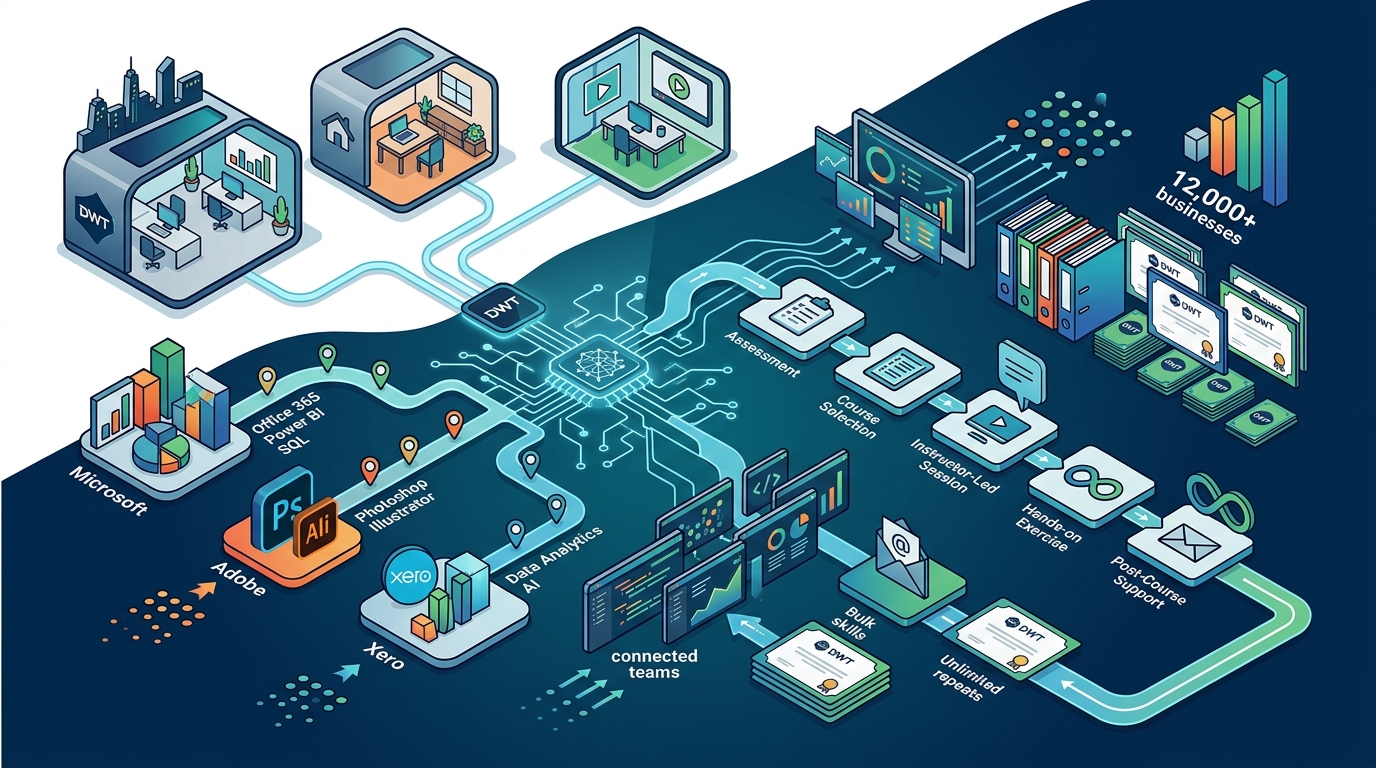
Organizations across Australia are rapidly shifting their learning and development strategies to accommodate hybrid and remote workforces. Dynamic Web Training has established itself as a premier provider of instructor-led software training, serving over 12,000 businesses nationwide. The demand for scalable, high-quality corporate training solutions has never been higher, as companies strive to maintain productivity while upskilling their workforce in critical digital tools.
Why Online Corporate Training is Essential
The landscape of professional development has evolved significantly. Traditional classroom settings, while effective, often require significant time away from the office and travel costs. Online live training offers a flexible alternative that does not compromise on the quality of instruction. For corporate teams, the ability to learn from their own workstations or remote locations is a critical factor in adoption rates and overall satisfaction.
According to recent industry data, companies that invest in robust digital upskilling programs see a measurable increase in employee retention and operational efficiency. Dynamic Web Training leverages this understanding by providing fully interactive online sessions. These sessions are not pre-recorded videos that employees can pause and ignore. Instead, they are live, instructor-led experiences where participants engage in real-time problem solving and immediate feedback.
This approach ensures that teams do not just watch software features but actually master them. The integration of hands-on practice within the online environment bridges the gap between theoretical knowledge and practical application. This is particularly important for complex software like Microsoft Excel, Power BI, or Adobe Creative Cloud, where muscle memory and procedural knowledge are key to proficiency.
The Instruct, Demonstrate, Challenge Methodology
At the core of Dynamic Web Training's success is a proven pedagogical framework known as "Instruct, Demonstrate, Challenge." This three-part process is rigorously applied to all online corporate training courses to ensure consistent learning outcomes regardless of the participant's location.
Instruct
The first phase involves the trainer providing a clear theoretical understanding of the software features and tasks at hand. In an online setting, this is achieved through structured screen sharing and verbal explanation. The instructor outlines the objectives, ensuring that every team member understands the "why" behind the software functions. This foundational step is crucial for preventing confusion later in the workflow.
Demonstrate
Once the theory is established, the instructor moves to the demonstration phase. Here, the trainer performs the training task live, allowing participants to see exactly how tasks are performed and what the expected outcomes are. This visual guide helps learners visualize the end result before they attempt it themselves. It also allows the trainer to highlight common pitfalls and best practices in real time.
Challenge
The final and most critical phase is the challenge. Participants are given the opportunity to combine theory and practice by performing the training task themselves. During this stage, the instructor monitors progress and provides one-on-one assistance as required. Questions are always welcome, and the interactive nature of the online platform ensures that no learner is left behind. This hands-on approach is what distinguishes high-quality corporate training from passive learning modules.
Core Software Training Categories
Dynamic Web Training offers a comprehensive suite of courses designed to address the diverse needs of modern enterprises. The curriculum is divided into several key categories, each tailored to specific professional roles and skill sets.
Microsoft Office and Productivity Suite
Microsoft Office remains the backbone of most corporate operations. Training in Excel, Word, PowerPoint, and Outlook is essential for daily productivity. Advanced Excel courses, for instance, focus on data analysis, pivot tables, and macro automation, which are critical for finance and operations teams. Similarly, SharePoint and Power Apps training empowers IT and business analysts to build internal solutions without extensive coding knowledge.
Data Analytics and Business Intelligence
In the age of big data, the ability to interpret and visualize information is a competitive advantage. Courses in Power BI and SQL provide teams with the skills to transform raw data into actionable insights. Power BI training, in particular, is highly sought after for its ability to create interactive dashboards that drive decision-making at all levels of an organization. Dynamic Web Training ensures that these courses are up-to-date with the latest Microsoft updates and industry standards.
Graphic Design and Creative Tools
For marketing and creative teams, proficiency in Adobe Creative Cloud is non-negotiable. Training in Photoshop, Illustrator, and InDesign allows designers to produce high-quality assets efficiently. Additionally, courses in Canva provide a valuable alternative for non-designers who need to create professional-looking graphics quickly. This democratization of design skills is a growing trend in corporate communications.
Accounting and Financial Software
Financial accuracy is paramount for any business. Dynamic Web Training is an authorized training centre for both Xero and MYOB. Training in these platforms ensures that accounting teams are proficient in bookkeeping, payroll, and financial reporting. With the increasing complexity of tax regulations and financial compliance, certified training in these tools reduces the risk of errors and improves overall financial health.
Web Development and Programming
For IT departments and development teams, staying current with web technologies is essential. Courses in HTML5, CSS3, JavaScript, and PHP provide the foundational skills needed for modern web development. Additionally, programming courses in Python and Java SE cater to those looking to expand into data science or enterprise application development. These technical skills are critical for maintaining a robust digital infrastructure.
Training Packages for Enterprise Efficiency
One of the most significant advantages of choosing Dynamic Web Training for corporate needs is the availability of structured training packages. These packages are designed to maximize the return on investment for organizations by consolidating related courses into a single, discounted offering.
Standard training packages cover widely used applications such as Microsoft Office, graphic design applications, web development tools, and accounting software. By bundling these courses, companies can streamline their learning and development budget while ensuring that their teams receive comprehensive training in specific subject areas.
Flexibility and Cost Savings
Training packages offer remarkable flexibility. Individual courses within a package can be taken by different participants, allowing organizations to target specific training needs to individual roles. This modularity ensures that the training investment is optimized, as employees only take the courses that are relevant to their responsibilities.
Furthermore, the time to apply learning is built into the package structure. Courses can be spaced out, allowing employees to consolidate what they have learned in the workplace before moving on to the next module. This spaced learning approach has been shown to improve long-term retention and practical application of skills.
Additional Benefits
Enrolling in a training package also includes several value-added benefits. Participants receive free email support to maximize their learning potential, a course manual for easy reference, and a certificate of completion to recognize their software skills. Additionally, the option to re-sit courses up to eight months after the initial training reinforces learning and ensures that knowledge remains fresh.
Comparing Training Delivery Models
When evaluating corporate training options, it is important to understand the differences between various delivery models. The table below outlines the key distinctions between online live training, pre-recorded e-learning, and traditional classroom training.
| Feature | Online Live Training | Pre-recorded E-Learning | Traditional Classroom |
|---|---|---|---|
| Interaction Level | High (Real-time Q&A) | Low (Self-paced) | High (In-person) |
| Flexibility | High (Remote Access) | Very High | Low (Fixed Location) |
| Hands-on Practice | Guided by Instructor | Simulated | Guided by Instructor |
| Cost Efficiency | High (No Travel Costs) | Very High | Low (Travel & Venue) |
| Accountability | High (Live Attendance) | Low (Completion Rates Vary) | High |
Online live training strikes the optimal balance between flexibility and accountability. It eliminates the logistical burdens of classroom training while providing the interactive support necessary for effective learning. This makes it the preferred choice for many modern enterprises.
Key Takeaways
- Proven Methodology: The "Instruct, Demonstrate, Challenge" framework ensures practical mastery of software skills.
- Comprehensive Coverage: Courses span Microsoft Office, Adobe Creative Cloud, Xero, MYOB, and web development technologies.
- Enterprise Flexibility: Training packages allow for modular learning tailored to specific team roles.
- Cost Efficiency: Online delivery reduces travel and venue costs associated with traditional classroom training.
- Expert Instructors: All trainers are certified experts with real-world industry experience.
- Support Systems: Free email support and re-sit options reinforce long-term learning outcomes.
- Trusted Provider: Dynamic Web Training has served over 12,000 businesses since 2000.
Frequently Asked Questions
What is the difference between online live training and pre-recorded courses?
Online live training involves real-time interaction with an instructor who can answer questions and provide immediate feedback. Pre-recorded courses are self-paced and lack this interactive element, which can lead to lower engagement and retention rates.
Can corporate training packages be customized for specific team needs?
Yes, Dynamic Web Training offers customized training solutions for small and large businesses. You can select specific courses from the standard packages or request bespoke training tailored to your organization's unique requirements.
How does the "Instruct, Demonstrate, Challenge" method work in an online setting?
Instructors use screen sharing and digital whiteboards to instruct and demonstrate tasks. Participants then perform the tasks on their own computers while the instructor monitors and provides one-on-one assistance via chat or voice.
Are the trainers certified experts in their respective fields?
Yes, all trainers at Dynamic Web Training are certified experts with extensive real-world experience. They are selected not only for their technical knowledge but also for their ability to teach effectively.
What software applications are covered in the training packages?
Training packages cover a wide range of applications including Microsoft Office (Excel, Word, PowerPoint), Adobe Creative Cloud (Photoshop, Illustrator), Xero, MYOB, and web development tools like HTML, CSS, and JavaScript.
Is there support available after the training is completed?
Yes, participants receive free email support to help them maximize their learning potential. Additionally, the option to re-sit courses up to eight months after the initial training ensures that knowledge remains fresh.
How does online training compare to in-person classroom training?
Online training offers greater flexibility and cost efficiency by eliminating travel and venue costs. It also allows employees to learn in their own work environment, which can enhance the relevance of the training to their daily tasks.
Book Your Corporate Training
Transform your team's capabilities with Australia's leading instructor-led software training provider. Whether you need to upskill your finance team in Xero, enhance your marketing department's design skills with Adobe Creative Cloud, or improve your IT department's web development proficiency, Dynamic Web Training has the expertise to help.
Contact our friendly client services team today to discuss your specific training requirements. You can reach us by phone at 1300 888 724 or by email at info@dynamicwebtraining.com.au. Explore our training packages to find the perfect solution for your organization's learning and development goals.