

Choosing the right software training center can make or break your learning experience. A professional software training center is a dedicated facility that delivers structured, instructor-led courses designed to build practical skills in specific software applications. With so many options available across Australia, it helps to know exactly what separates a great provider from an average one. Whether you are upskilling for a promotion, onboarding new team members, or pivoting careers, the criteria below will help you evaluate training providers with confidence and invest your learning budget wisely.
1. Instructor Quality and Credentials
The single most important factor when evaluating a training center is the quality of its instructors. Look for trainers who hold vendor certifications, such as Microsoft Certified Trainer status, and who bring real-world industry experience to the classroom. According to LinkedIn's 2025 Workplace Learning Report, 91% of L&D professionals agree that continuous learning is more important than ever for career success, making expert-led instruction a critical differentiator.
At Dynamic Web Training, all courses are delivered by certified Microsoft trainers and Adobe-accredited instructors with extensive hands-on experience. This ensures you learn from professionals who understand how software is used in real business settings, not just theory.
2. Hands-On Training Methodology
Hands-on training is a teaching approach where learners actively practise tasks using the software during the session, rather than passively watching demonstrations. Research consistently shows that active learning leads to better retention and faster skill application in the workplace.
The Instruct, Demonstrate, Challenge Model
A proven methodology follows a three-part process. Dynamic Web Training uses an Instruct, Demonstrate, Challenge approach: trainers ensure theoretical understanding first, then demonstrate the task, and finally have participants perform the task themselves. This cycle builds confidence and competence simultaneously.
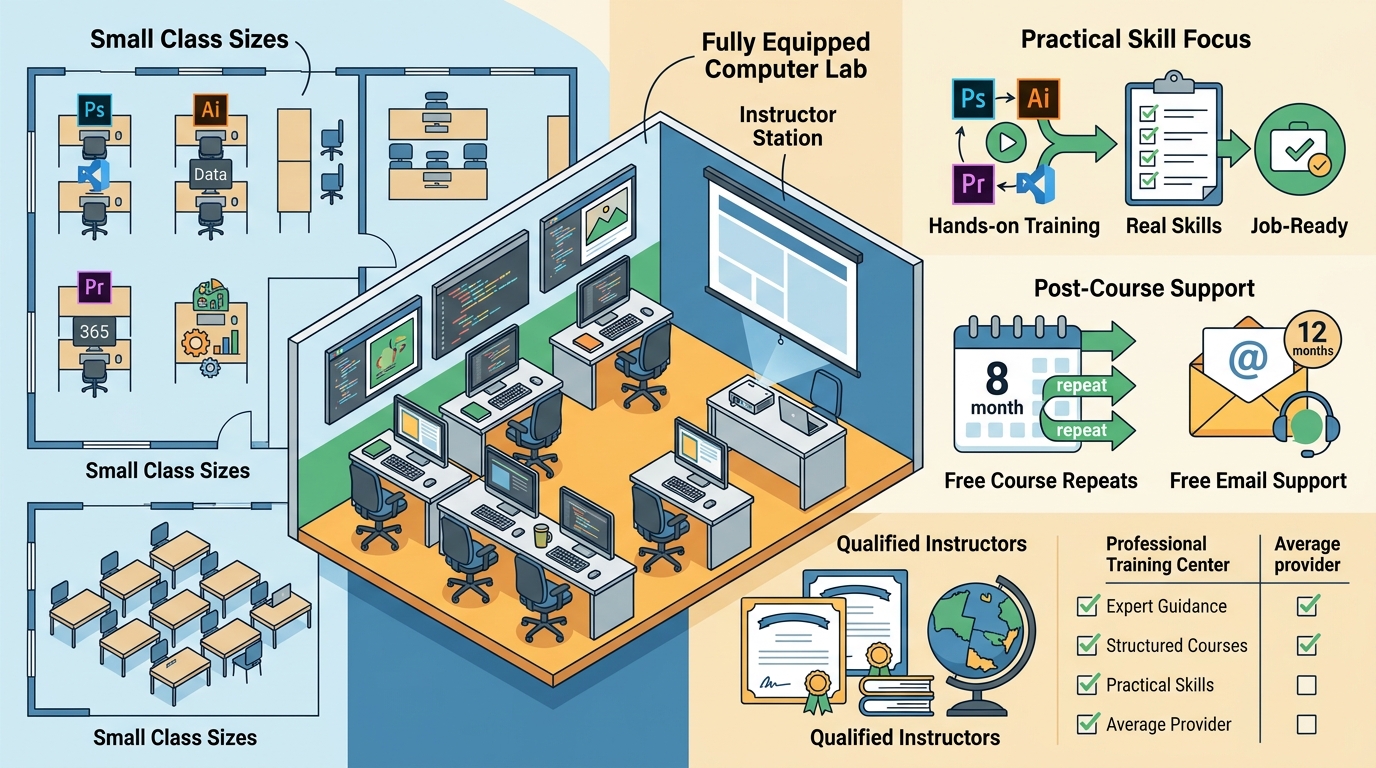
Fully Equipped Facilities
Top-tier providers supply all necessary software and equipment. You should not need to bring your own laptop to a classroom session. Look for centres with fully set-up computer labs so you can focus entirely on learning.
3. Small Class Sizes and Personalised Attention
Class size directly impacts how much individual attention you receive. Large classes of 20 or more students make it difficult for instructors to address individual questions. The best training centres cap class sizes at around 10 participants, with average sizes closer to 5.
Small class sizes allow the instructor to tailor examples to your specific work scenarios and ensure nobody falls behind. When evaluating providers, ask about both maximum and average class sizes. Dynamic Web Training maintains a maximum class size of 10 with an average of just 5 students per session.
4. Post-Course Support and Follow-Up
Learning does not stop when the course ends. The real test comes when you return to work and apply new skills to your own projects. A professional training center should offer meaningful post-course support to bridge this gap.
Free Course Repeats
Look for providers that let you re-sit courses at no extra cost. This gives you the opportunity to consolidate skills over time. Dynamic Web Training offers free and unlimited course repeats for up to 8 months after your initial training date.
Ongoing Email Support
Free email support from your trainer for an extended period after the course is another hallmark of a quality provider. This means you can get help with real workplace challenges as they arise, not just during class.
5. Flexible Delivery Formats
A flexible delivery format is one that allows learners to choose between in-person classroom sessions and live online instruction based on their location and schedule. The best providers offer both without compromising on content or interactivity.
For example, Power BI training at Dynamic Web Training is available as face-to-face classes in Sydney and Melbourne or as live online sessions accessible from anywhere in Australia. Both formats include the same curriculum, instructor interaction, and course materials.
6. Curriculum Relevance and Course Range
Your chosen provider should cover the specific applications you need and offer clear learning pathways from beginner to advanced levels. A broad course catalogue signals depth of expertise and allows you to grow your skills over time without switching providers.
Look for coverage across key business software categories: Microsoft Office (Excel, Word, PowerPoint, Outlook), data analytics tools like Power BI and SQL, creative applications such as Adobe Photoshop, Illustrator and InDesign, and emerging areas like AI and Copilot. Dynamic Web Training offers courses across all of these areas through structured training packages that bundle related courses at a discount.
7. Training Center Evaluation Checklist
| Evaluation Criterion | What to Look For | Red Flags |
|---|---|---|
| Instructor Credentials | Vendor-certified, real-world experience | No listed qualifications or bios |
| Training Method | Hands-on, guided practice with software | Lecture-only or self-paced video |
| Class Size | Max 10, average 5 | No cap disclosed or 20+ students |
| Post-Course Support | Free repeats and email support | No follow-up offered |
| Delivery Options | In-person and live online | Only pre-recorded content |
| Course Range | Beginner to advanced pathways | Single-level courses only |
| Facilities | Fully equipped labs, no BYO laptop | Bring-your-own-device required |
| Track Record | Established provider with student reviews | No reviews or testimonials |
Key Takeaways
- Prioritise certified, experienced instructors who bring real-world knowledge to the classroom.
- Insist on hands-on training methods where you practise with the software during the session.
- Choose providers with small class sizes (max 10) for personalised attention.
- Look for generous post-course support: free course repeats and ongoing email help from trainers.
- Ensure both in-person and live online delivery options are available.
- Check for structured learning pathways from beginner to advanced across the software you need.
- Verify the provider's track record through student reviews and years in operation.
Frequently Asked Questions
What is a professional software training center?
A professional software training center is a dedicated facility or organisation that delivers structured, instructor-led courses in business and creative software applications. These centres employ certified trainers, use proven teaching methodologies, and provide hands-on practice environments.
How important are small class sizes in software training?
Very important. Small classes, typically capped at 10 students, allow instructors to provide personalised guidance and address individual questions. This leads to faster skill acquisition and higher confidence when applying what you have learned at work.
Should I choose in-person or online live training?
Both formats can be equally effective when delivered by a live instructor. In-person training at a dedicated facility like those in Sydney or Melbourne offers a distraction-free environment with all equipment provided. Online live training is ideal if you are outside a major city or prefer learning from home.
What post-course support should a training center offer?
At a minimum, look for free course repeats within several months and email support from your trainer. Dynamic Web Training, for example, provides free unlimited repeats for up to 8 months and free email support for up to 12 months.
How do I know if a training center's curriculum is up to date?
Check whether courses cover the latest software versions and emerging tools like AI-powered features. Providers aligned with vendor certification programs, such as Microsoft or Adobe, regularly update their materials to match current software releases.
Are training packages worth the investment?
Yes. Training packages bundle multiple related courses at a discounted price, making them cost-effective for deeper skill development. They also allow you to space courses over time so you can apply learning between sessions. Explore the corporate training options available to businesses of all sizes.
What qualifications should I look for in a software trainer?
Look for vendor certifications (e.g., Microsoft Certified Trainer), relevant industry experience, and positive student reviews. The best trainers combine technical mastery with the ability to explain concepts clearly and patiently.
Can multiple team members share a training package?
Many providers allow this. At Dynamic Web Training, individual courses within a package can be taken by different participants, helping organisations target specific courses to individual staff needs while saving on the overall investment.
Find the Right Training for Your Team
Dynamic Web Training has been delivering expert-led software training across Australia since 2000. With certified instructors, small class sizes, hands-on methodology, and the industry's best post-course support, we make it easy to build the skills your career or business needs. Contact our team on 1300 888 724 to discuss your training requirements and find the perfect course or package for your goals.